 Zip Control
Organize ZIP coverage in workspaces
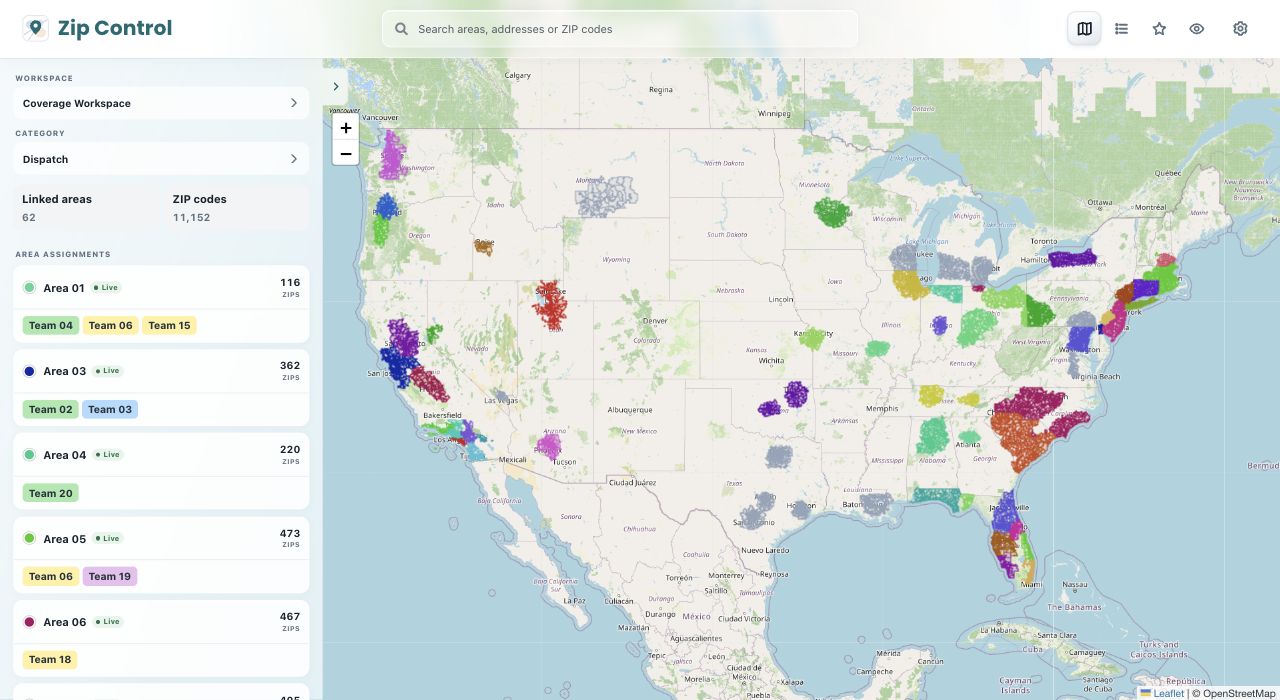
A workspace keeps one project’s U.S. ZIP coverage together. Inside it, categories group related coverage areas. Each area has its own saved ZIP code list.
Open Zip ControlSet up a workspace you can maintain
Use a workspace for a separate project
Keep areas together when you review them together. Create another workspace when a client or project needs a separate set of areas.
Use categories for types of coverage
If two services cover different ZIPs in the same market, give each service its own category. Use areas inside a category for the territories you want to edit separately.
Name areas for the decision they support
Choose a name like Central LA or West LA instead of List 1. When you revisit the workspace, you can find the right territory before changing its ZIP list.
Check the hierarchy before sharing coverage
Workspace
Use one workspace for a project or client whose areas should be maintained together. Open the intended workspace before editing an area with a name that appears elsewhere.
Category
Use a category for a service with its own coverage rules. Two categories can cover the same ZIP without forcing you to maintain a combined list.
Area
Give each territory a name that makes sense to dispatch. Confirm the category and area name before reusing the saved list, especially when several areas serve the same market.
Common questions
Should I use a category or a separate workspace?
Use categories when the service types belong to the same project. Use a separate workspace when you want to manage a different project’s areas independently.
How many areas can I start with?
Free includes one workspace, one category, and up to three areas. You can keep adding ZIP codes to those areas without upgrading. Pro removes the workspace, category, and area limits.
Can anyone in a workspace change coverage?
No. Workspace owners manage who can view or edit. If you can open a workspace but cannot change its lists, check your access with the owner.